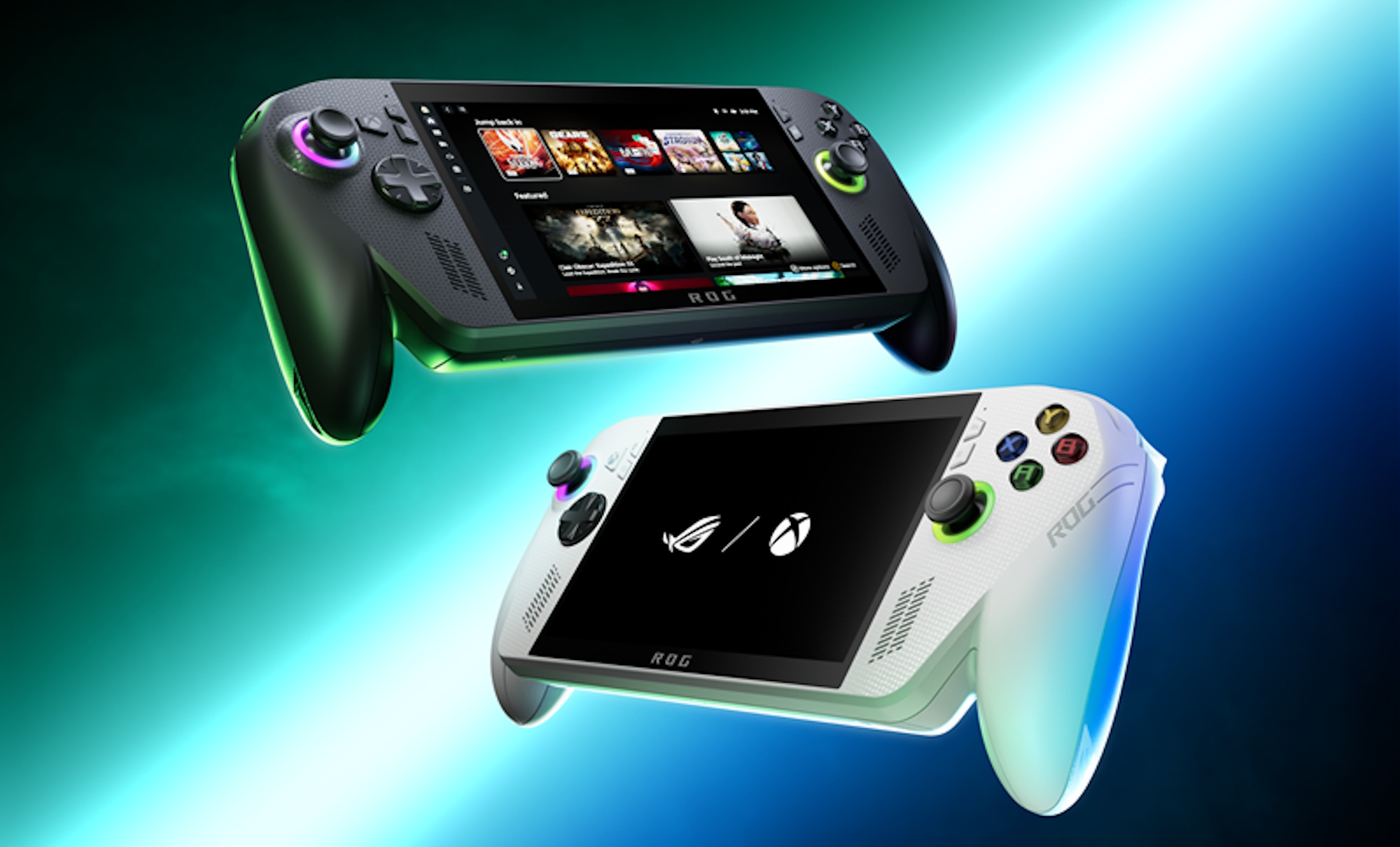


It’s kind of incredible that we’re already at the point where handheld PCs are onto a second (or is it third?) generation, given that they do feel so revolutionary and like a dream device. It’s also not surprising that now is the time that a company like Microsoft would now step in and take a play at it. It’s gone from weird experiment from Valve, Asus, MSI, Lenovo and others to proven technology, and Asus is an early leader in the space making it the ideal partner, so here we have the official Xbox-licensed handheld PC in the ROG Xbox Ally and ROG Xbox Ally X.
I am a big fan of the ROG Ally, which quite genuinely got me interested in PC gaming in a way that I’ve never been before. I still prefer my consoles (and especially my Nintendo Switch/Switch 2), but I prefer handheld gaming in about 99% of cases, so being able to play my PC library in a format that I prefer has been transformative for me. I now play a lot more PC games than I ever did on my laptop. Given that, I was curious about the new “generation” of Ally, so I went and picked myself up the base model (there are two models: The Xbox Ally and the Xbox Ally X). It’s less powerful, I know, but I just don’t care enough about the really high-end games to care.
The Xbox Ally is slightly more powerful than its predecessor (It has a AMD Ryzen Z2 A processor, where the original Ally has a AMD Ryzen Z1 Extreme), and the build of the device is refined and, in my opinion, more comfortable. The prongs on either side of the device do sit in the hand nicely and suit longer play sessions better (which is why they’ve become standard on game controllers). The buttons on the back of device are also much smaller. They’re easy to press when you need to but don’t get in the way (or get accidentally pressed) when you hold the device normally. That’s a big step up from a design perspective. There’s also a slightly better battery (though in fairness still nowhere near enough),
Are these iterative improvements somewhat disappointing given the ROG was a couple of years ago now? Sure, though the device is also only slightly more expensive than a Nintendo Switch 2, and more than capable of handling most of the games that are not at the very top tier. It’s still an improvement on an already very good device and at a price point that people coming to PC handheld gaming for the first time will find reasonable (I would think).

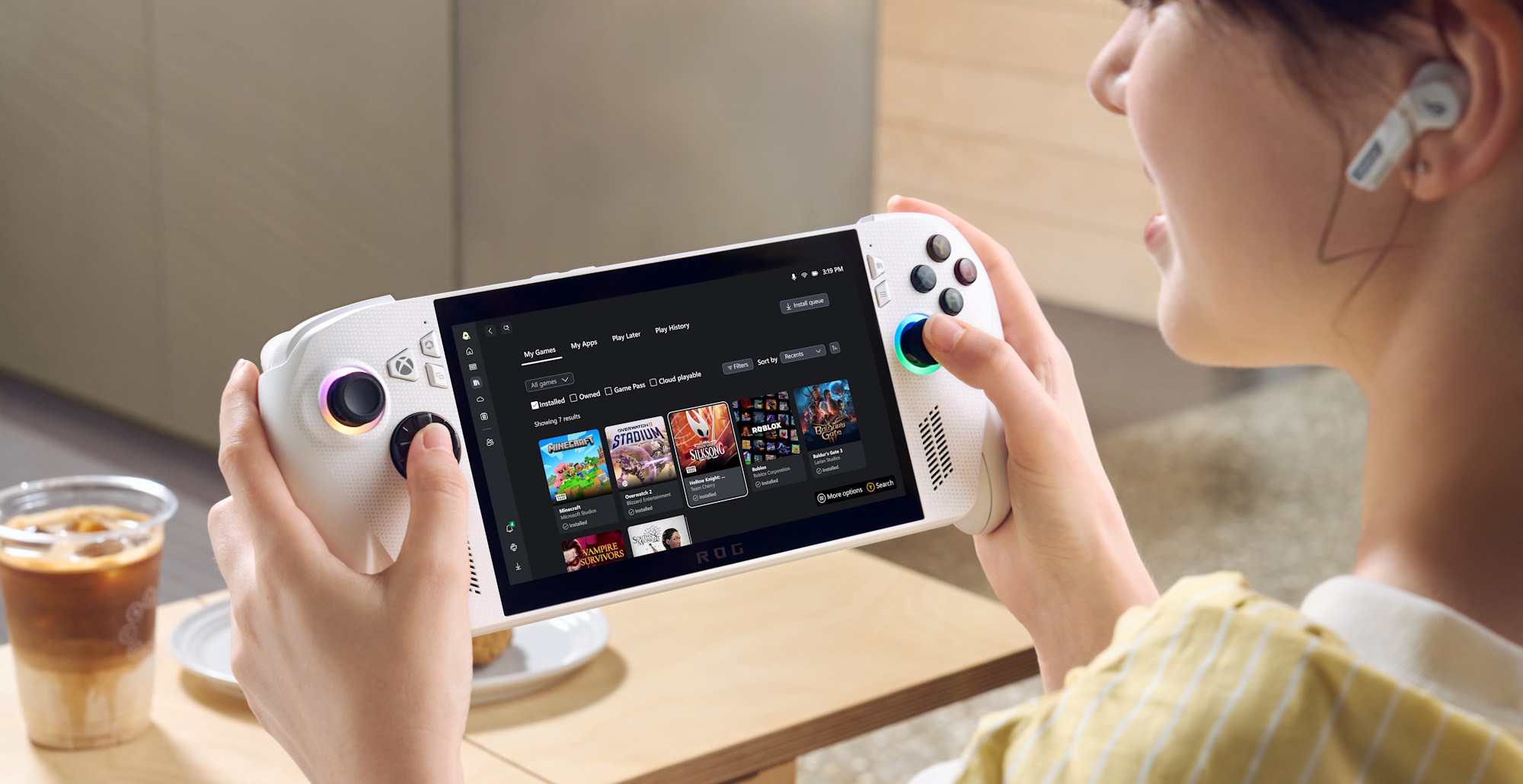
The Xbox branding comes through with the device booting directly to the Xbox UI on launch. This is basically the same one you would have already accessed Xbox Games Pass on with your original Ally, but now has the added feature that it will display all your games, regardless of platform, at the top. So you can access your Steam library without having to leave the app. Having the device automatically boot to this interface does give the device a more “console”-like presentation than having to navigate the desktop to pull it up. Sometimes the superficial features make all the difference. You don’t have to use this interface, of course. Asus’s own Armoury Crate is instantly accessible by quitting to the desktop, and from there you can load up your Steam, GOG, and etc libraries as you did before.
I’ve very minimally in the Xbox ecosystem, so there’s not much of a reason to get involved and start buying games there now. However for those that do use Game Pass and the like, there is a nice streamlining of the experience with the Xbox Ally. I do find that some elements of Microsoft’s interface is absolutely terrible and those times I have tried to use Cloud Gaming it has become a struggle to even figure out what games to play (for some reason the “All Games” list in the Cloud Gaming section includes games that aren’t available via Cloud Gaming…), but that’s not Asus’ fault. Meanwhile, to their great credit, Armoury Crate has become a lot more stable and efficient, and indeed the device’s software in general feels a lot more robust now.
There’s one new button on the device, which pulls up the Xbox overlay, and this is useful for people who get involved in the social features, streaming and the like. Meanwhile, the other buttons and functions are there as before. Most useful is the ability to pull up a quick keyboard, and switch between controller profiles with one giving you a mouse-like pointer that operates with the right stick. Device manufacturers still haven’t quite nailed down how to address the fact that Windows 11 is designed with a mouse and keyboard in mind (indeed, a lot of PC gaming still is), but the mouse controls and speed with which you can navigate through the overlay menus when you need them is excellent.
Case-in-point, the big game that I’ve been using to test my new device is Final Fantasy XIV, which I decided to get back into for some crazy reason despite having no time to commit to it. Well, no, not a “crazy reason.” I absolutely love Final Fantasy XIV. I’ve been to the themed restaurants in Japan twice, and an symphony orchestra performance of the soundtrack. It’s true I don’t really have the time for it, but this device gave me an excuse to get into it again, so thank you for that, Microsoft and Asus. While it’s an MMO that assumes that you’ve got a keyboard and mouse at the ready, you can play all the gameplay bits using a controller, and because I largely play it single player, those times I have needed to use the chat I’ve been able to do so on the fly without missing too much of a beat. As I get deeper into it. I’m assuming that I’ll need to be more social, but when that happens, I’ll always be able to hook the ally into my TV via HDMI and link up a Bluetooth keyboard and mouse. The Xbox Ally works as well as its predecessor as a device that connects to the TV for the “home console” experience, backed by the benefit of Bluetooth and the staggering array of accessories that can wirelessly connect to it.
For the record, Final Fantasy XIV looks absolutely gorgeous. It’s an older game now, but the relatively constrained screen size allows for the incredibgle art direction to really sing. It is this kind of game that the handheld PC devices excel at.
If you do want to play higher spec PC games, that upgrade to the more costly but significantly more powerful Xbox Ally X will be appealing, and the devices do come with the ability to switch between “Turbo” and “Performance” modes, so you can get a bit more juice at the expense of battery life to play something more blockbuster-substantial. From what I can tell, people are getting the likes of Cyberpunk to run at high levels of detail at a good FPS, which should cover most of the games out there that you might want to play.
For my part, in addition to Final Fantasy XIV, on my more modest device I’ve been playing the remaster of Final Fantasy XII, PlayStation 2 and Gamecube emulation, a whole bunch of indie games and Football Manager 26 (sure it’s not a looker but there is a lot of data for the device to crunch with those games), and I’ve had no issues with any of them. And, because the networking technology is great, I’ve yet to have an issue with any of the Xbox Cloud Gaming titles I’ve played (when I’ve been able to find them). I’ve been playing a bit of Atlus’ Metaphor there. I have already finished that one on PlayStation 5, but having it stream flawlessly to a handheld device saves me hoping against hope for a Switch 2 port. Perhaps the greatest strength of the better examples of these PC gaming handhelds is that for people who just want to sit down and play games without dealing with optimisation, the devices are well-tuned and play the games comfortably. This certainly applies to the Xbox Ally. In fact I’m not sure I’ve even messed with the optimisation options outside of testing the unit.
It was an indulgence to buy the ROG Xbox Ally, and realistically, if you have one of the previous generation of handheld PC models – including the ROG Ally itself – you don’t need this. The incremental improvements really are very incremental. However, it is more physically comfortable, the console-like interface does make it more immediately accessible, and the slight boosts in power and battery life do help you be able to play more games for longer on those commutes. If absolutely nothing else, the fact that the device came with an empty hard drive, giving me an excuse to re-load Final Fantasy XIV without having to delete anything, made it a purchase I don’t regret. My wife, on the other hand, is probably going to learn to hate that game’s magnificent soundtrack thanks to me playing the game in bed until 2 or 3am every morning for the next few months.







Hate to break it to you, but handheld gaming PCs are basically in around their 7-10th generation these days. Some people will try to point to earlier periods, but I do believe the modern handheld gaming PC era began in 2016 with the original GPD Win. I believe going this far back shows just how much growth the sector has actually gone through throughout its history and that’s ignoring that they grew on the dead backs of the UMPC category of the pre-2010s era.