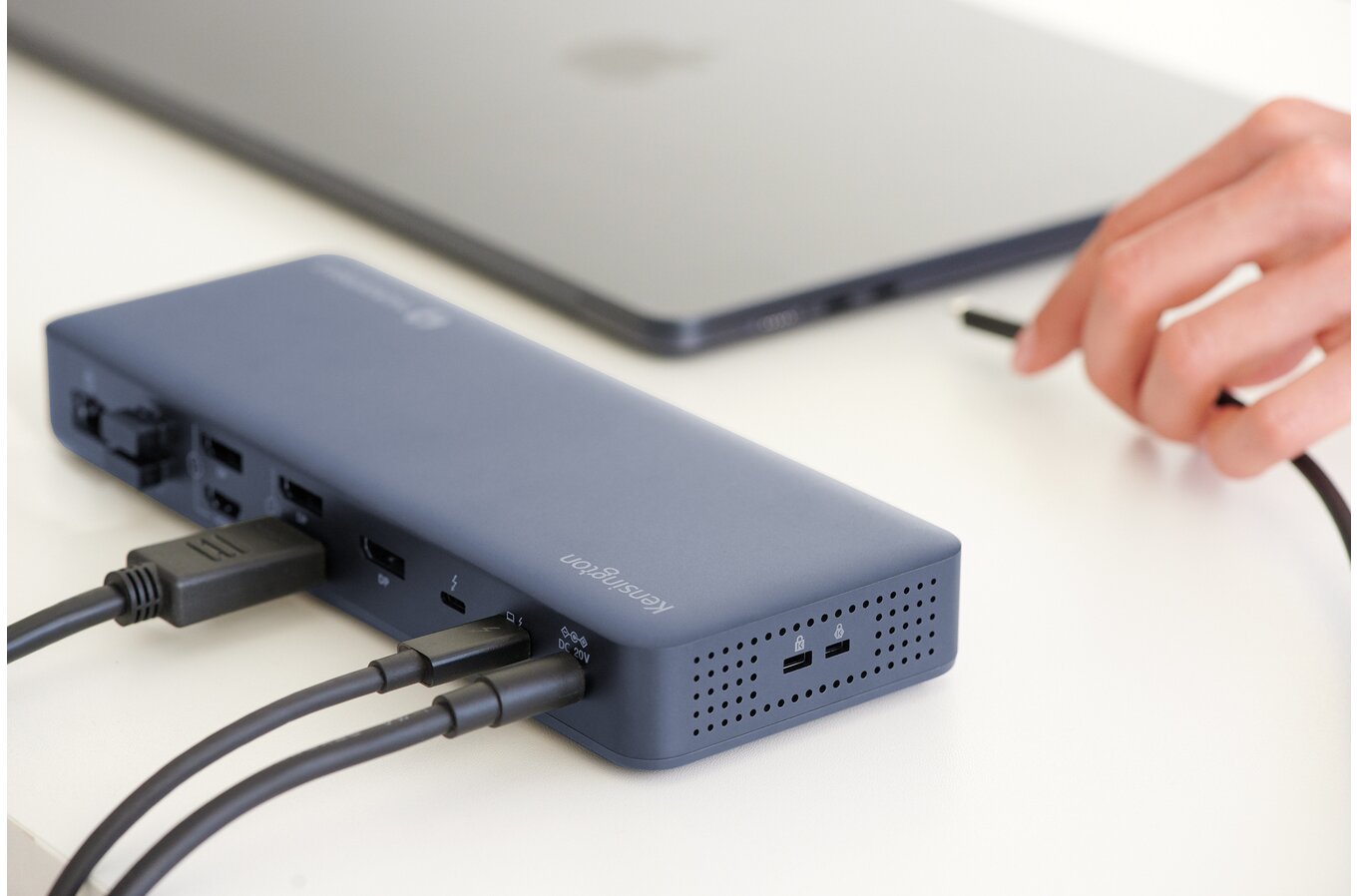


It can be a little difficult at first to understand the value of a dock, but once you start using one (assuming it’s a good one) it does quickly become an indispensable part of the setup. The Kensington SD5900T Thunderbolt 4/DisplayLink Dock is a good one.

The name is both self-explanatory and also the dock’s key sales pitch: It’s got a lot of ports, including Thunderbolt 4. It will, in fact, allow you to connect up to four external 4K monitors on supported systems thanks to the combination of the Thunderbolt and DisplayLink technologies. This is usually difficult to do because most laptops have a hard limit on how many external displays they can drive. The base M-series MacBooks, for example, will only run one or two external screens natively, no matter how capable their chip is otherwise.
DisplayLink gets around that limit with software. A driver on your computer compresses the image for the extra screens and sends it down the Thunderbolt cable as ordinary data, where a chip inside the dock decodes it and passes it on to the monitors. Add those to the screens running natively over Thunderbolt and then, suddenly, you have four displays working off the one device. This technology works with both Windows and macOS, and is enormously useful. These days we’re all so heavily multitasking that screen real estate is at a premium. Connecting multiple screens means that you can feel like Batman with all the gadgets while also making it so much easier to move between all the various tasks and applications.
Now you’d think that this is also a killer feature for gaming and in theory, sure, it should be, because who wouldn’t want to stretch their gaming experience across all these extra screens. In practice, the DisplayLink screens are a poor fit for games. Because the image for those displays is compressed in software, there’s a touch of added latency, and the compression work is done by your computer’s own CPU and GPU, eating into the resources the game needs. The dock doesn’t magically infuse additional GPU power into the base device, either. That also applies to people doing video editing, AI (why would you) and other high-end tasks. The sensible gaming setup is to play on the screen running natively over Thunderbolt and use the DisplayLink screens for everything around it, such as Discord, a walkthrough or your streaming tools.
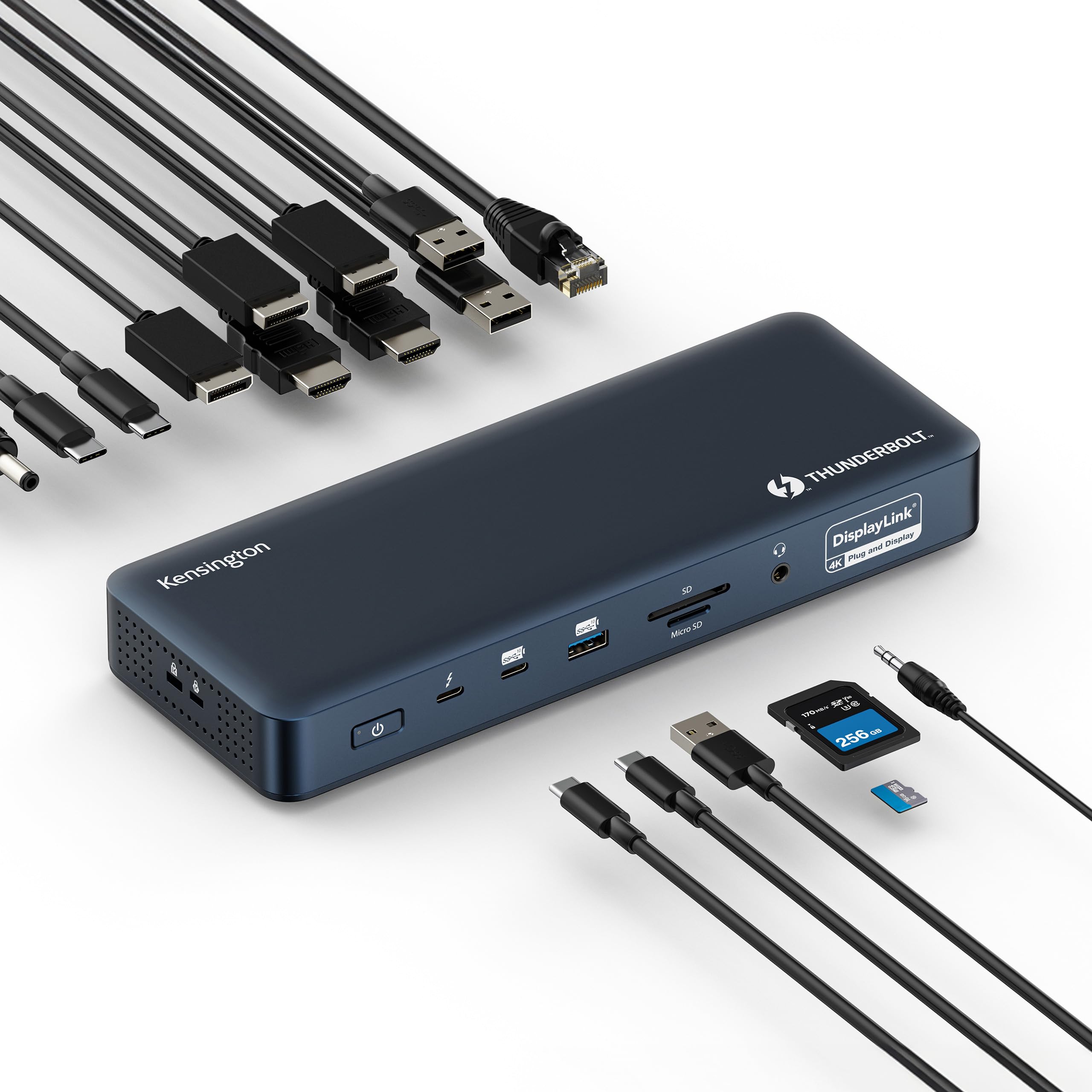
Another thing worth keeping in mind is that the dock makes cable management so much easier. When you set the dock up, you connect all your favourite peripherals to it. Then you connect your laptop to dock and hey, presto! All your peripherals are ready to go. This is a genuinely useful benefit to the dock if you’re the kind of person that moves around a lot with the laptop, as it creates a single plug-and-play connection, saving you those moments of messing around with chords multiple times each day.
And it’s also important to note that the dock here is designed for office environments. Because it works seamlessly with both Macs and PCs and multiple operating systems, it allows the office to support any device within its broader IT environment, which is useful flexibility in the modern era of hybrid work and work from home.
I’ve reviewed several Kensington products recently, and the SD5900T has been the most difficult one, simply because its application towards gaming is limited. Gaming across four 4K displays is a job for a desktop graphics card with the outputs to match, which is well beyond what most people will have available to them. For the most part, this should be seen as a work device, and while it certainly comes at a premium ($AUD599.95), it does make the work day that much better. So, I guess, you could argue that it enhances your gaming experience by putting you in a better mood come the end of the day? I know I’m stretching a bit with this one, but it is an excellent device and the people that would benefit from a dock will really appreciate having it on their desk.