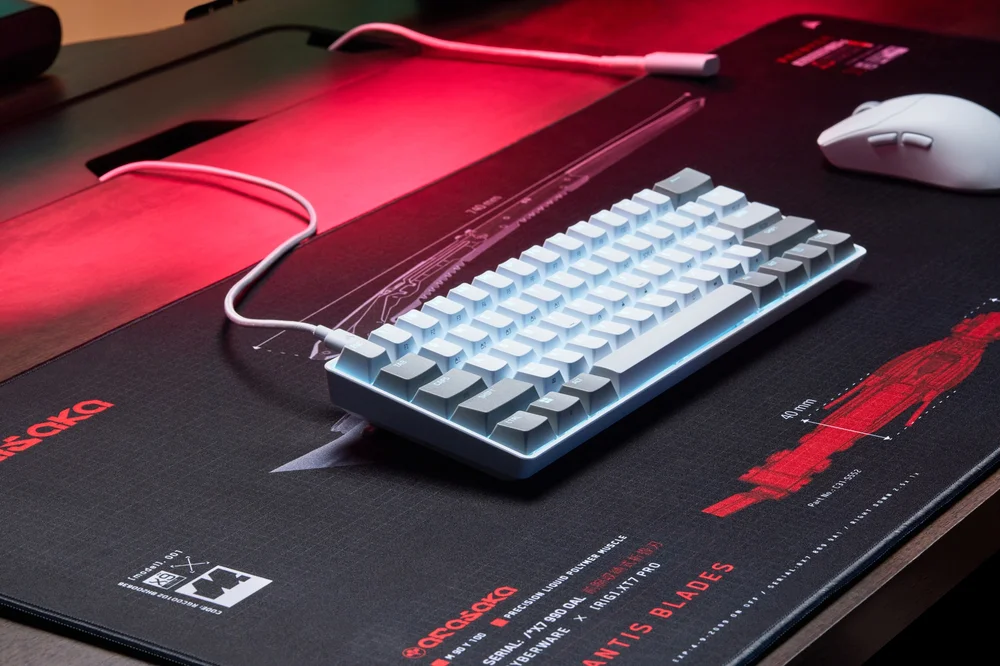


As someone who travels around enough that I like to think of myself as a pretentious “digital nomad”, I value electronics and accessories that are portable and useful in unconventional locations. So I can work, game, or annoy people online while chilling next to a resort pool or on a luxury cruise, for example (see, I told you I was pretentious). One thing that is surprisingly difficult to find is a good, portable keyboard. Corsair has really come through for me there with its new Clipper Pro Mini 60, though. This thing is a delight.
The “60” in the product name stands for “60%”, with this keyboard being a little over half the size of a conventional keyboard. It is also very lightweight and has an efficient profile, meaning that it fits nicely into a travel or laptop bag.
The challenge that the people who design small keyboards face is that, by nature, you need to sacrifice some keys and functions to make the size work. But a full-sized keyboard has all the keys it does for a reason, and so dropping those keys is always a trade-off: the convenience of a smaller keyboard in exchange for some reduced usability.

I have tested keyboards where the reduced functions are absolutely ludicrous. One keyboard, about the same size as the Clipper Pro Mini 60, dropped the quotation marks. That’s right, these things: “”. Now, in fairness, the device was designed purely for gaming purposes, and those keys are probably less useful to gamers. You only need to look on social media and comment threads on game sites to realise that a good chunk of gamers don’t seem to think they need grammar at all. But that device was immediately worthless for writing, and so I’ve never really used it.
I’m happy to say that while the Clipper Pro Mini 60 is a gaming keyboard itself, the designers realised that sometimes gamers do have to type like serious people too. There are some decisions that I do think represent a decline in the full keyboard experience, such as the need to press a function toggle key to turn several keys into the direction arrows on a normal keyboard. I tend to use those a lot in typing, and that extra key press does slow the speed of work down. But Corsair has got a solution for that (more on that soon), and even if that wasn’t the case, I could still use this keyboard to work almost as fast as a full-sized keyboard, and that is a major win for the diminished form factor.
And then you get to the typing or gaming experience, and the Clipper Pro Mini 60 is like so many of Corsair’s other keyboards; lovely to type on. The keyboard uses “MGX Hyperdrive Core Magnetic Switches”, which Corsair claims allow for nearly endless durability and accuracy. The website promises a 100 million keystroke lifespan, and you can bet that I’ve started counting every keystroke. Corsair, you’ll be hearing from my lawyers if the keyboard stops working at 99,999,990 keystrokes.
On top of that, you have plenty of granular control over the sensitivity of the keys (with an actuation point of anything from 0.2 – 3.8mm), and total travel of just 4mm. That allows you to be blistering fast if you happen to be playing an FPS or other such game that relies on twitch reactions, but also allows you to dial things down enough that you can type without making errors because your fingers brushed a key as they moved across the keyboard.
Beyond that, the keys are just nice to type on, with a soft but tactile feel to the presses. As I always say, as someone who types hundreds of thousands of words every week, I know I’ve got a good keyboard if my hands don’t fatigue, and I definitely didn’t come away from testing the Clipper Pro Mini 60 with fatigued hands.
Corsair also boast polling speeds of 8,000Hz, which really cuts down on lag and will provide that fractional advantage in competitive games that can make all the difference. Meanwhile, the web-based management software (Corsair Web Hub), allows you a great deal of control, including the ability to map multiple actions to a single keypress, and there’s a Smart Tap feature that allows you to alternate between the main and an alternate function of a key by pressing and holding. So you can easily customise the keyboard to add those arrows back in, after all.
All in all, the Clipper Pro Mini 60 has clearly been built with an understanding of the inherent weaknesses of a reduced-size keyboard, and then giving you so many options for coming up with a solution to those issues in a way that works for you. So then you’re left with a keyboard that is gorgeous to type on, incredibly robust for gaming, and so very portable. This is a brilliantly made piece of kit, and I would argue it’s the best Corsair keyboard I’ve used to date.