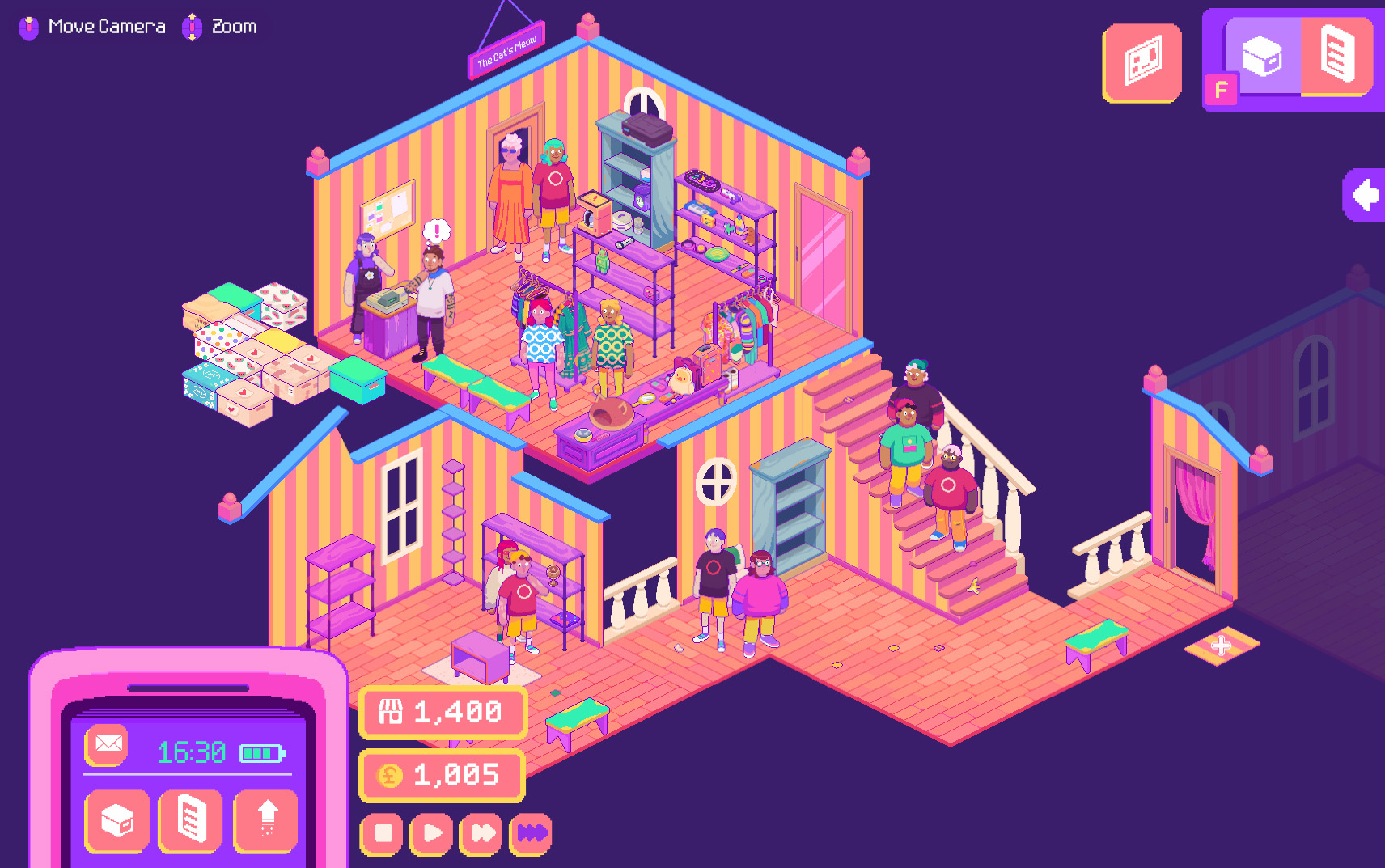


Thrifty Business is the latest title from Spellgarden Games, the developer of Sticky Business. While Sticky Business—which I loved—has you running an online sticker shop, Thrifty Business puts you in the role of a new owner of a physical thrift shop. Considering the shop-running similarities, Thrifty Business has a lot to live up to. I went into it expecting a game filled with heart, colourful graphics, and organization. I didn’t expect to love it as much as Sticky Business. But I did.

Thrifty Business is a shopkeeping sim decorated with a smattering of nostalgic colours. The story is simple: the previous shop owner is leaving town, and you are its new owner. You can enter your (or any) name and pronouns, and choose what to call your thrift shop—mine is The Cat’s Meow. You need to purchase items to stock, buy and position shelving, display the items on the shelving, keep the shop clean, and run events, all while serving customers. As you earn more money, you can purchase more space to sell.
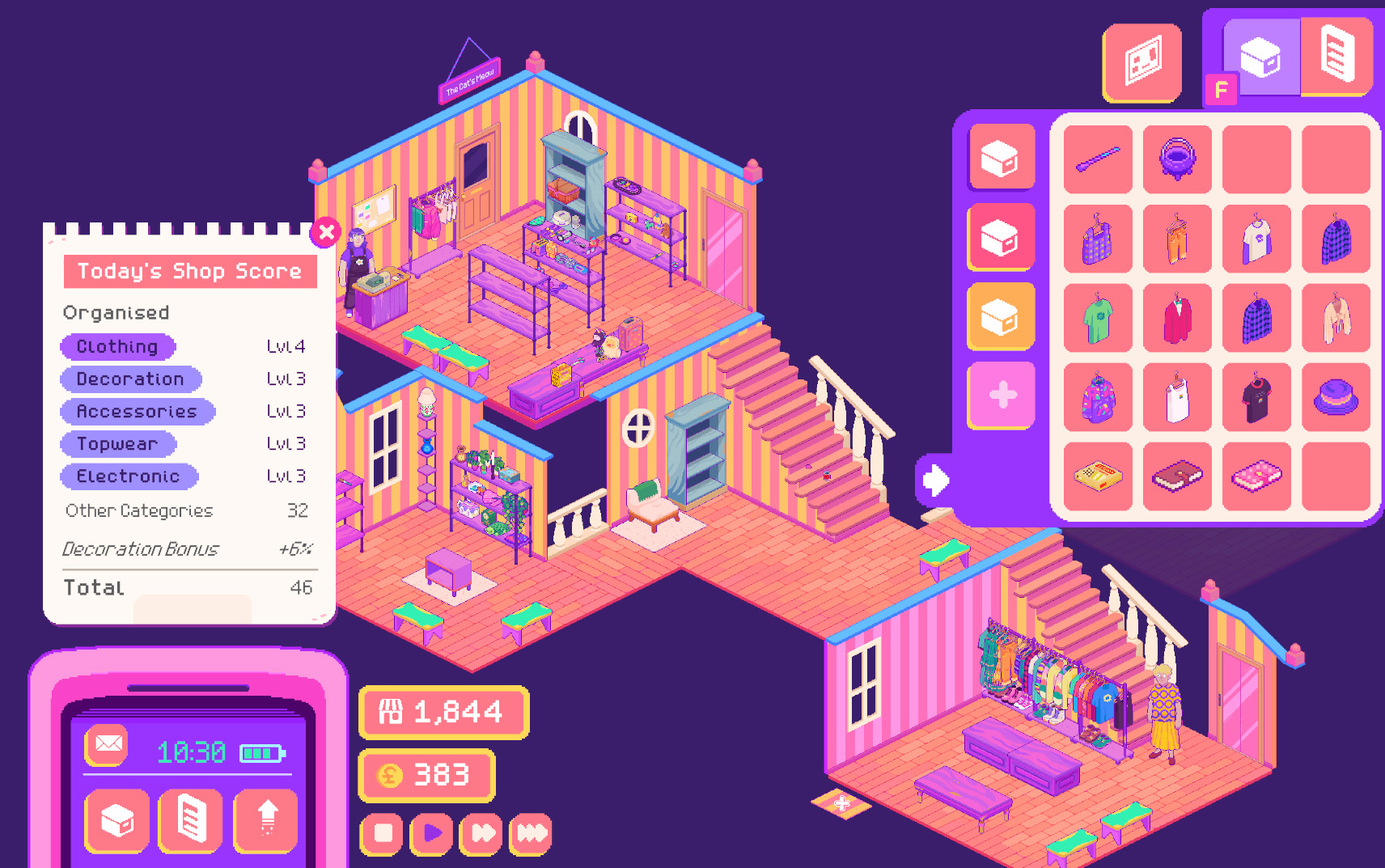
There is a daily gameplay loop, and the game saves at the end of each day. First, check whether you have any requests. Then choose what boxes of items to buy based on their vague description—Y2K, witchy, decoration, clothing, electronics, toys, etc. The boxes will be placed just outside your store, ready to be unpacked when you choose. I prefer to unpack them as I go; they can get overwhelming. There is also storage space for individual unpacked items. It is limited, but you can purchase a certain amount more. Place items on your shelving, tables, and racks as you wish, then open up the store for the day.
When the store opens, things get busier. Customers will come in, take a look around, and either purchase something or leave empty-handed. The line of people waiting to pay can get quite long, but they remain patient—even past closing. Your customers do have a nasty having of dropping trash, which you have to pick up manually: I wish there was a better way to handle this later on, as it becomes a lot of trash. Most customers just wander in, but sometimes a person who made a request appears to purchase the item. This is how the story progresses: through purchases. The requests all connect to different storylines, though those storylines often merge.
The number of items available must be in the hundreds. It is remarkable how much detail has gone into each, and zooming in to look at them just enhances the experience. There’s a good burst of Y2K throughout, including not-Furbies, not-Tamagotchis, fanny packs, and multicoloured sweaters. I love that there’s an entire category of witchy things; it makes me feel like the game was practically tailor-made for me. The sheer volume of clothing items is surprising, as is the fact that nothing is replicated too much.
I’m a bit of an in-game hoarder, I’ll admit, so keeping to what was on the shop floor and in my inventory was impossible. I end up with tens of boxes just laid out, waiting for me to go through them. But it is just too tempting to buy everything of interest! It’s also hard to know where requested items might come from, so the extra boxes can come in handy. Still, I think you can build up too many; there should be a reasonable limit set, maybe 12.
In addition to sales space, the store has a small event space. This is where things like mixers and book clubs happen. When events happen, the storyline may move forward, but you will definitely get a boost on certain items. For example, mixer attendees love queer and romantic items, while book club participants love books and decorations. Specific customers run each event, but you set the schedule. You can schedule any of the events as you please, but there is a reasonable limit on how many you can have in a span of four weeks.
Thrifty Business does really well at pacing. There is a good amount of time between receiving requests and completing them. This also helps keep the story elements flowing at a reasonable rate. The amount of time in the day is perfect, but if you want to go faster, you can. The amount of money you earn matches well with your current place in the game, with opportunities to grow happening at just the right time.
There are a couple of accessibility setting toggles: disable moving text and use a clean font. The remaining settings cover gameplay, graphics, audio, and streaming options. There are actually loads of options under Twitch settings, though I haven’t tested whether they apply when you’re not streaming. Some would be useful, like a max trash-per-day setting.
Any fan of Spellgarden Games would know it developed Thrifty Business at first glance. Of course, the name is very close to that of the studio’s first game, Sticky Business. But there’s something more than that. It’s as though love and kindness are woven into the game. And that’s why I love playing Thrifty Business: it’s a chill sim with heart.

Buy the hottest games with Amazon.
By purchasing from this link, you support DDNet.
Each sale earns us a small commission.